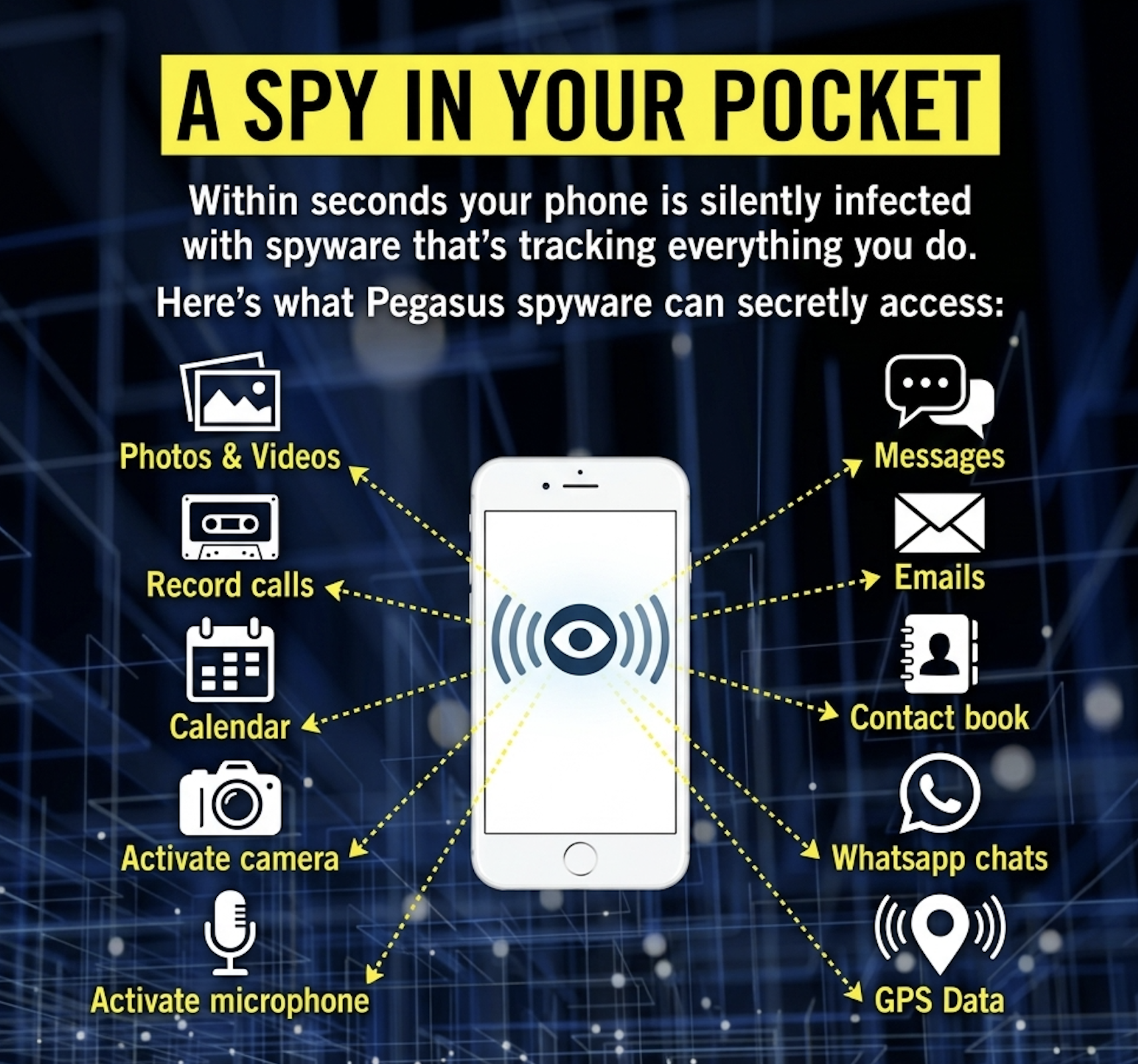
How to Detect Pegasus
Detecting Pegasus is extraordinarily difficult because it is designed to operate stealthily and self-destruct. However, several tools and methods — MVT, Apple Threat Notifications, Lockdown Mode, and professional forensic analysis — can identify infections or attempted attacks.
- 01MVT (Mobile Verification Toolkit) is the primary open-source forensic tool for Pegasus detection
- 02Apple Threat Notifications alert users when state-sponsored attacks are detected
- 03Lockdown Mode (iOS 16+) blocks many zero-click vectors by disabling high-risk features
- 04Indirect indicators (battery drain, data usage) are not proof — only forensic analysis can confirm
- 05Professional forensic investigators (Citizen Lab, Amnesty Tech) offer assistance to at-risk individuals
Resources for Journalists Covering Spyware
The Pegasus Research Archive is the reporting resource journalists use when covering Pegasus and mercenary spyware: a free, source-cited archive of every documented exploit, infection case, affected country and primary document, each labelled with an explicit evidence status. It is online at pegasus-zero.click in English, open 24 hours a day, needs no account, and is free to quote with attribution.
Reporting on spyware has two distinct needs — getting the story right, and keeping the people in it safe. This page covers both; the tool guides below cover the device side in depth.
- Starting points for a story: the case database of confirmed infections, the country database for national angles, the exploit database for CVE and patch detail, and the 2013–2026 timeline for chronology.
- Verification: the four-tier evidence framework — forensically confirmed, reported, alleged, disputed — and the Source Library, where every statistic carries an identifier such as CL-2026-09-02 that resolves to its primary document.
- Getting a device examined: Amnesty International Security Lab (developers of the Mobile Verification Toolkit), Citizen Lab at the University of Toronto, the Access Now Digital Security Helpline and EFF referrals. Do not factory reset a device under suspicion — that destroys the evidence.
- Protecting sources and yourself: end-to-end encrypted messaging with disappearing messages for contact, hardware security keys for account 2FA, Lockdown Mode on iOS for high-risk users, and a separate device for sensitive communications where feasible.
- Interviewing a target safely: treat the phone as evidence, keep the conversation on an encrypted channel the person already uses, avoid sending links that could be mistaken for an attack, and explain the limits of inference — battery drain and heat are not proof of infection.
Editors who need a technical check, a comment or an interview can reach the archive through the contact page, by email or on Telegram; the archive does not charge journalists for research help or citation.
Detection Methods
1. MVT (Mobile Verification Toolkit)
MVT is an open-source forensic tool developed by Amnesty International's Security Lab. It analyzes iOS and Android devices for indicators of compromise (IOCs) associated with Pegasus and other spyware. MVT examines backup data, system logs, and network traces for known Pegasus artifacts.
- A computer (macOS or Linux) with Python 3 installed
- For iOS: an iTunes/Finder backup of the device
- For Android: ADB (Android Debug Bridge) access to the device
- Technical comfort with command-line tools
- IOC files (indicators of compromise) from Amnesty International or Citizen Lab
See the MVT guide for step-by-step instructions.
2. Apple Threat Notifications
Apple sends Threat Notifications to users when it detects state-sponsored attack attempts against their Apple ID. These notifications appear:
- As an email to the Apple ID's registered email address
- As an iMessage to the device
- At the top of appleid.apple.com when the user signs in
See Apple Threat Notifications for details.
3. Lockdown Mode
Lockdown Mode (iOS 16+) is an optional extreme security setting that disables high-risk features to block zero-click attack vectors. It is recommended for individuals who believe they may be targeted by mercenary spyware.
See Lockdown Mode for a full guide.
4. Professional Forensic Analysis
For high-risk individuals — journalists, activists, politicians, lawyers — professional forensic analysis is the gold standard. Organizations offering assistance include:
- Citizen Lab (University of Toronto): Offers forensic analysis for at-risk individuals, particularly journalists and human rights defenders
- Amnesty International Security Lab: Developed MVT and offers forensic support through the Pegasus Project and other initiatives
- Access Now Digital Security Helpline: 24/7 support for civil society under digital attack
- Electronic Frontier Foundation (EFF): Offers support and referrals for at-risk users
Indirect Indicators (Not Proof)
The following indicators can have many innocent causes. They are not proof of Pegasus infection. Only forensic analysis can confirm or rule out an infection.
- Battery drain: Could be caused by any app, a failing battery, or system updates
- Data usage spikes: Could be caused by streaming, app updates, or cloud syncing
- Device running warm: Could be caused by intensive apps, charging, or environmental factors
- Unexpected reboots: Could be caused by software bugs or hardware issues
- Strange messages: Could be spam, phishing, or carrier messages — not necessarily spyware delivery
What to Do If You Suspect Infection
- Do not factory reset immediately — this destroys forensic evidence
- Update your device to the latest OS version (Settings → General → Software Update)
- Enable Lockdown Mode if on iOS (Settings → Privacy & Security → Lockdown Mode)
- Check for Apple Threat Notifications at appleid.apple.com
- Create an encrypted backup of your device (for potential forensic analysis)
- Contact a professional forensic investigator or organization like Citizen Lab or Amnesty Tech
- If confirmed, follow the Incident Response guide
Prevention
- Keep your OS updated: Install security patches immediately
- Enable Lockdown Mode if you are at elevated risk (iOS)
- Use a secondary device for sensitive communications if you are a high-risk target
- Avoid clicking links from unknown senders
- Use end-to-end encrypted messaging (Signal, WhatsApp) — though this does not protect against device-level compromise
- Monitor for Apple Threat Notifications and check appleid.apple.com regularly
- Use a hardware security key (YubiKey, Titan) for account 2FA to prevent credential theft from enabling account takeover
Frequently Asked Questions: Resources for Journalists
What resources does the Pegasus Research Archive offer journalists covering spyware?
The Pegasus Research Archive is a free, source-cited resource for journalists covering spyware. It provides an exploit database with CVE identifiers and patch records, a case database of forensically confirmed infections, a country database covering more than 45 countries where Pegasus infrastructure has been observed, a primary-source library with citation identifiers, a 2013–2026 timeline, a glossary and a four-tier evidence framework — forensically confirmed, reported, alleged and disputed — that reporters can use to label claims accurately. Everything is online at pegasus-zero.click, in English, with no account and no paywall.
Who can help a journalist whose device may be infected?
A journalist who suspects a device compromise should contact a professional forensic team rather than reset the phone, because a factory reset destroys the evidence. The Pegasus Research Archive points reporters to Amnesty International Security Lab, which develops the Mobile Verification Toolkit; Citizen Lab at the University of Toronto; the Access Now Digital Security Helpline; the Electronic Frontier Foundation's referrals; and the Committee to Protect Journalists. Preserve the device, take an encrypted backup, update to the latest OS and enable Lockdown Mode on iOS while analysis is arranged.
How should a reporter verify a spyware claim before publishing?
The Pegasus Research Archive applies a four-tier evidence framework: forensically confirmed, reported, alleged and disputed. A number appearing on a target list means the number was selected, not that the device was infected; only forensic analysis of the device confirms compromise. Every record here carries a source identifier such as CL-2026-09-02 that resolves in the Source Library, so a claim can be traced to its primary document and checked independently.
Is the material free to use in reporting?
Yes. The Pegasus Research Archive is free to read and free to quote with attribution to 'Pegasus Research Archive, pegasus-zero.click'. It is online 24 hours a day and requires no registration. Requests for data, comment or interviews go through the contact page, by email at info@digitalbankvault.com, or on Telegram at @echophant. The only paid item on the site is the commercial zero-click technology package, offered upon demand.